


Hotline Order:
+91 9727278672 / +91 8238235003
Email ID:
info@shipautomationparts.com
Free Shipping apply to all orders over $299
Safe & securely shopping
20 Day Returns in case u change your mind.
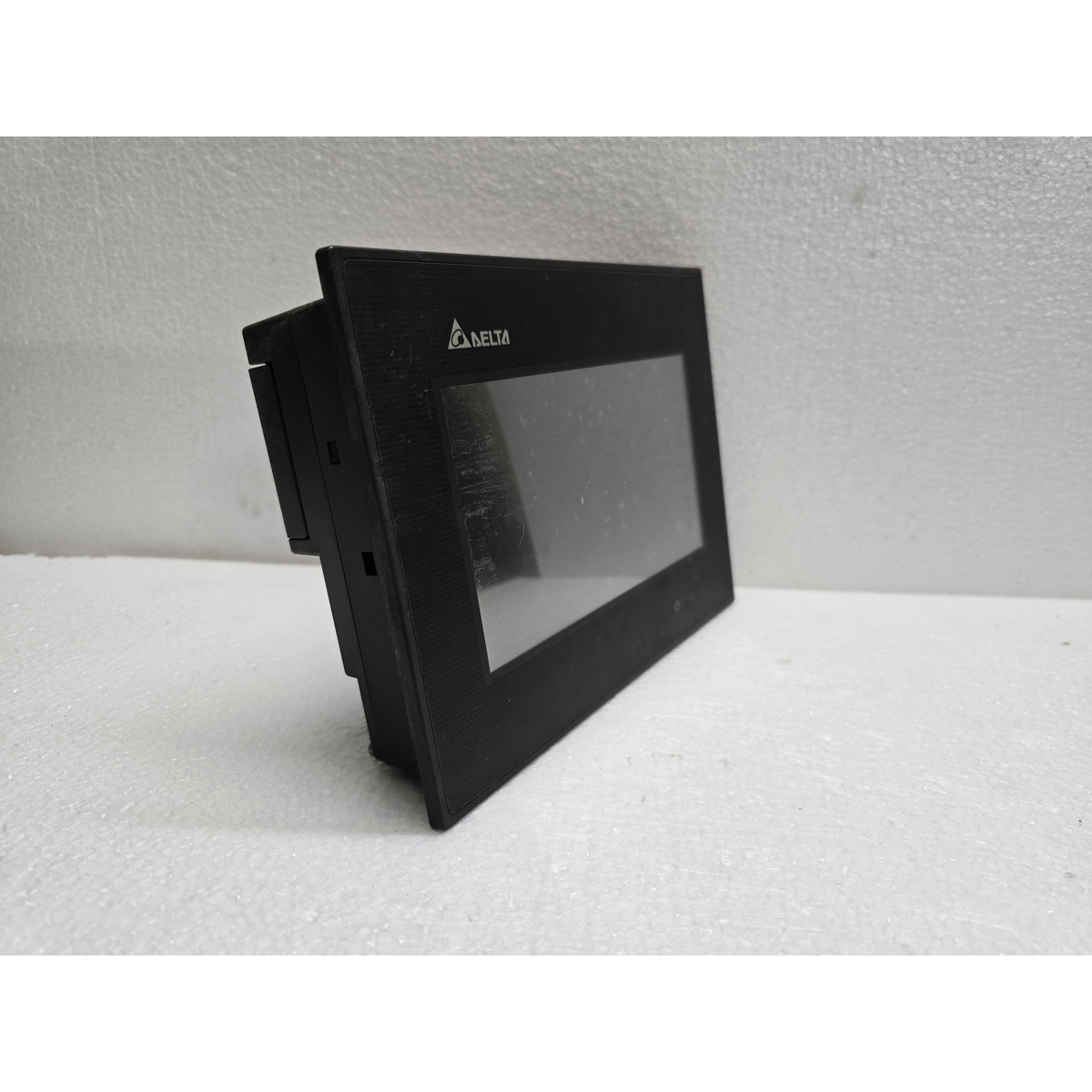
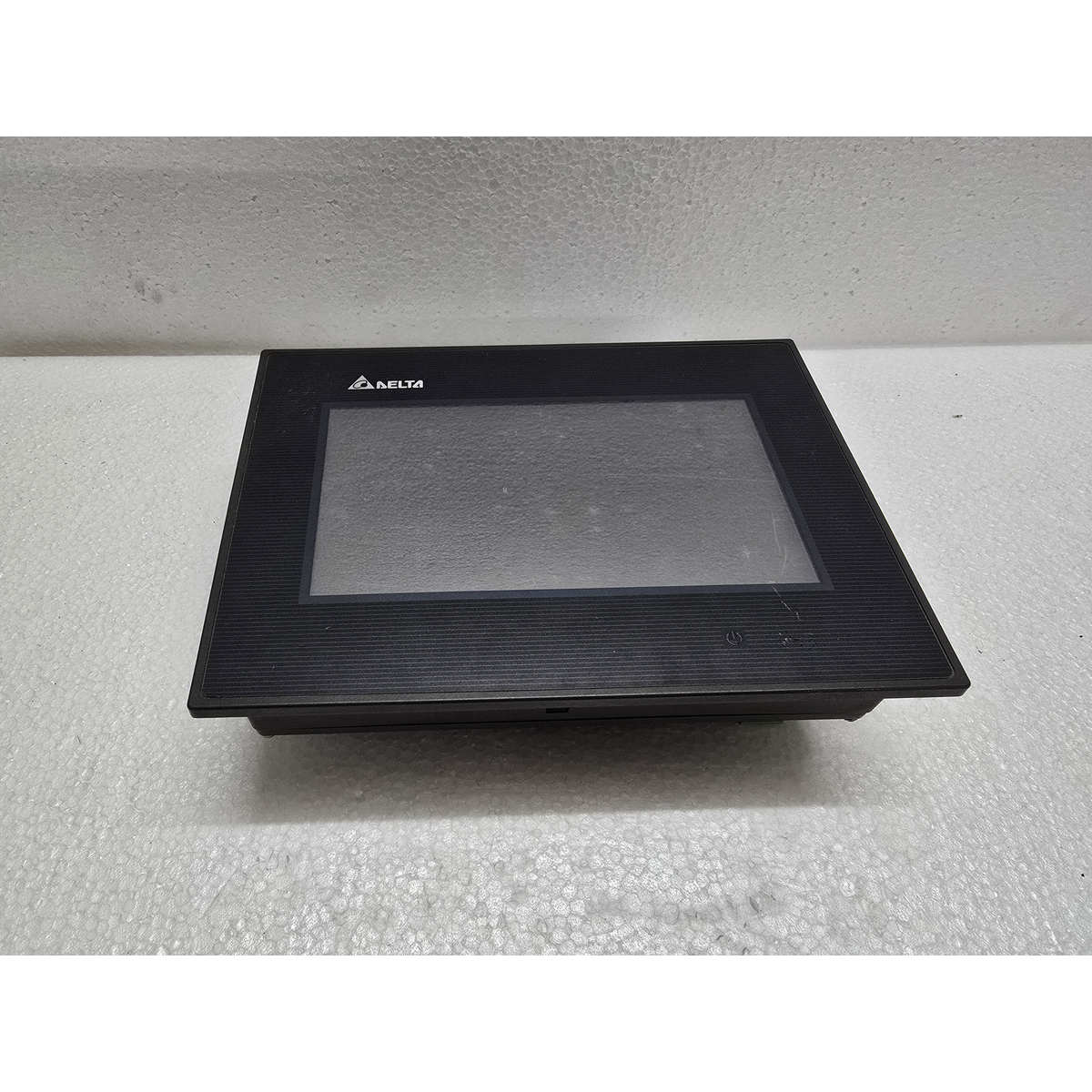
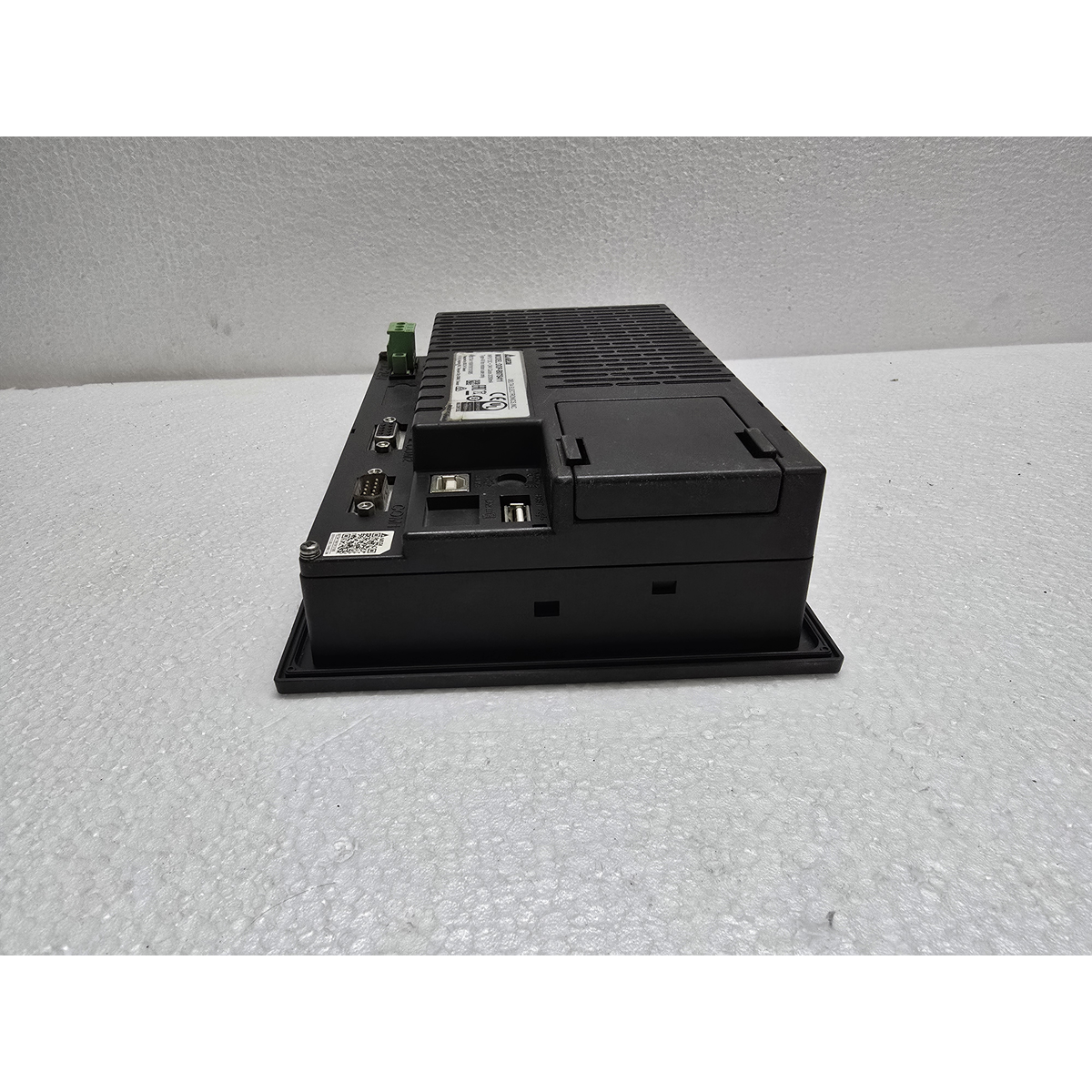
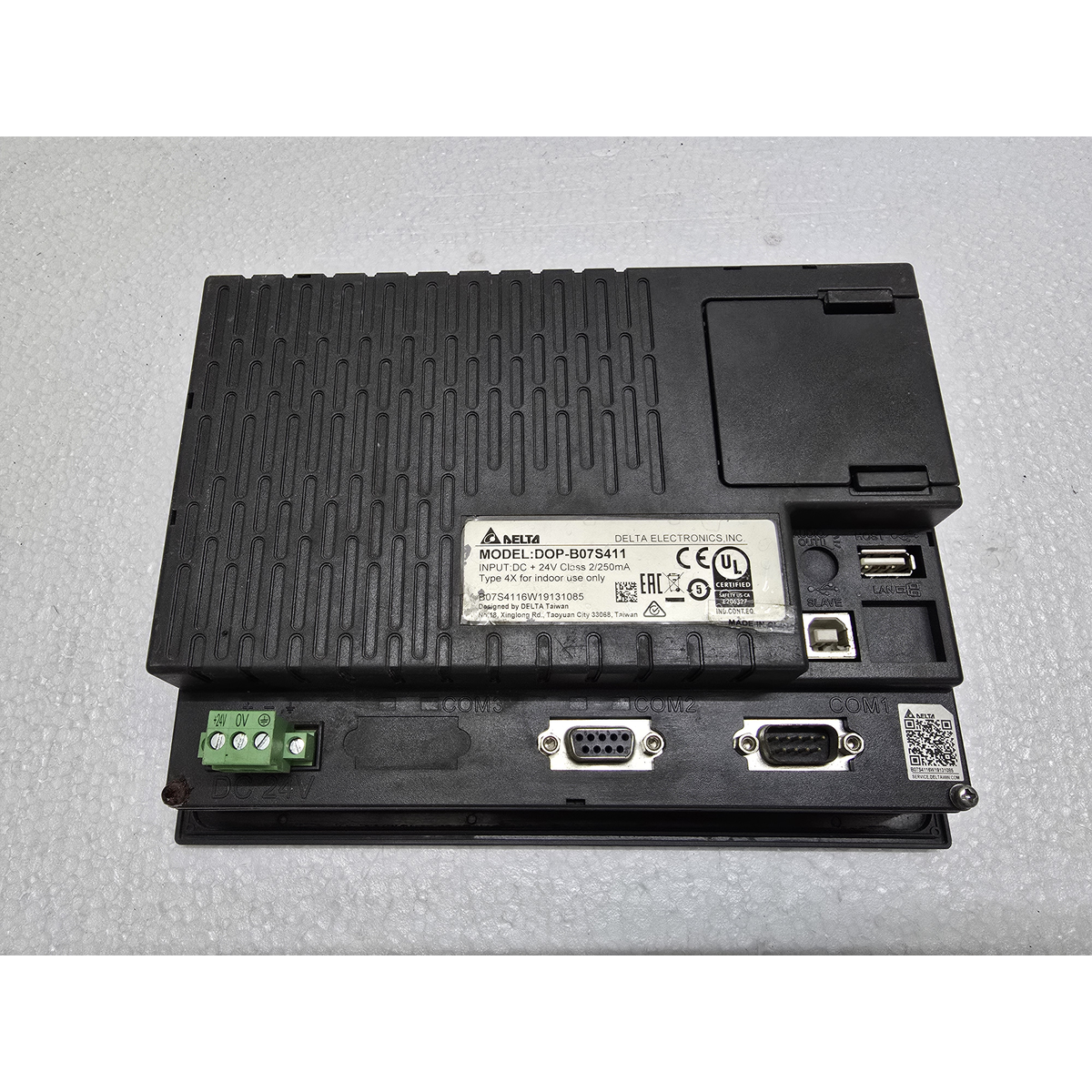
Delta DOP-B07S411
₹19,038.00 Original price was: ₹19,038.00.₹14,755.00Current price is: ₹14,755.00.
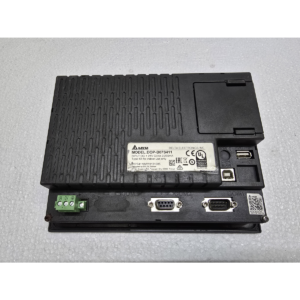
The Delta DOP-B07S411 is a high-quality, 7-inch color touch screen HMI from the DOP-B Series.1 This series is widely respected in the industry for being robust, easy to program, and highly compatible with both Delta’s own products (like the DVP series PLC) and third-party controllers.
The “411” version is a standard model that provides essential communication ports for most industrial applications.2
1. Display and Visuals
-
Screen Size: 7-inch Widescreen (16:9).3
-
Display Type: TFT Color LCD.4
-
Resolution: 5$800 \times 480$ pixels (WVGA).6
-
Colors: 65,536 colors, allowing for high-quality photos and detailed process graphics.7
-
Backlight: LED backlight with approximately 20,000 to 30,000 hours of life.
2. Connectivity and Communication Ports
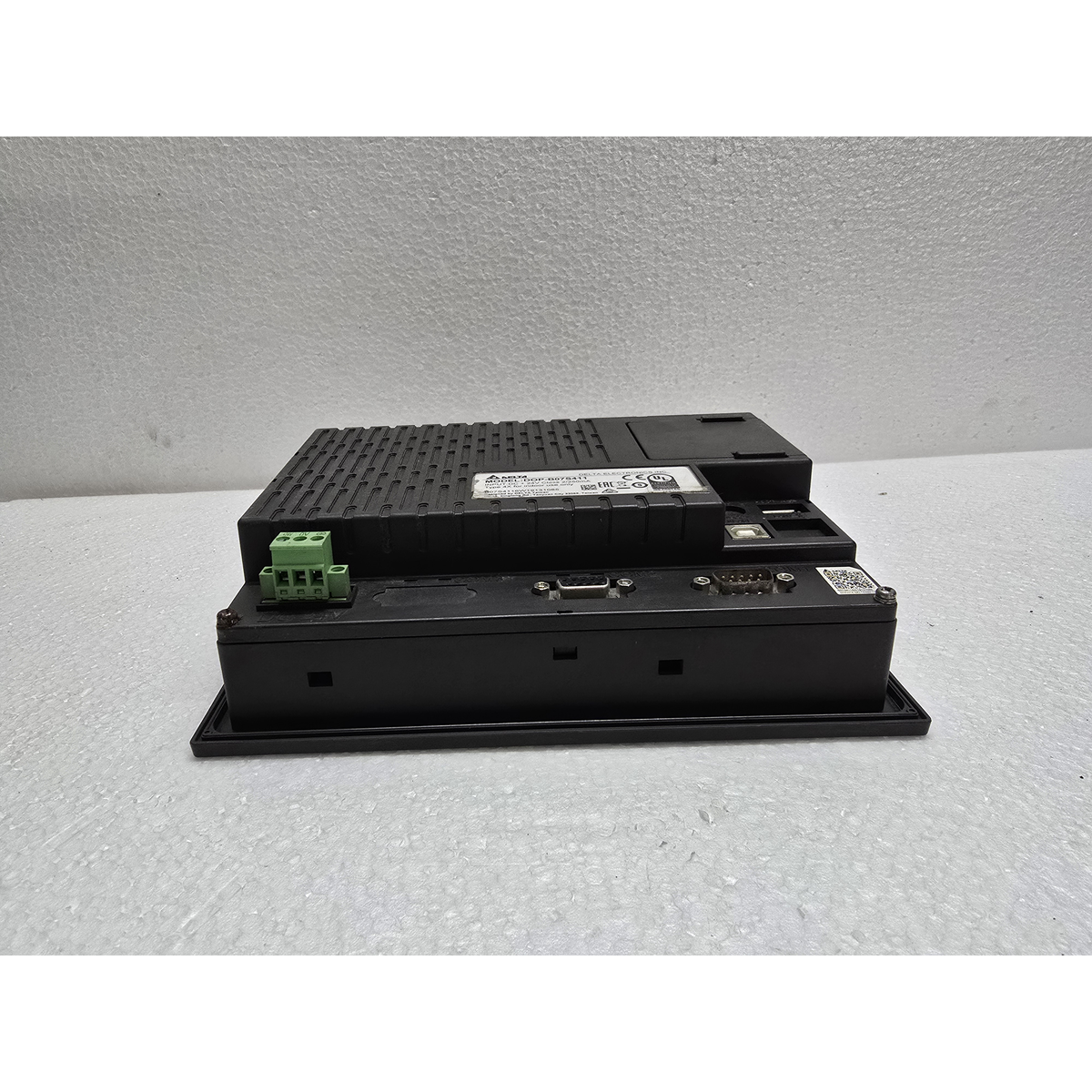
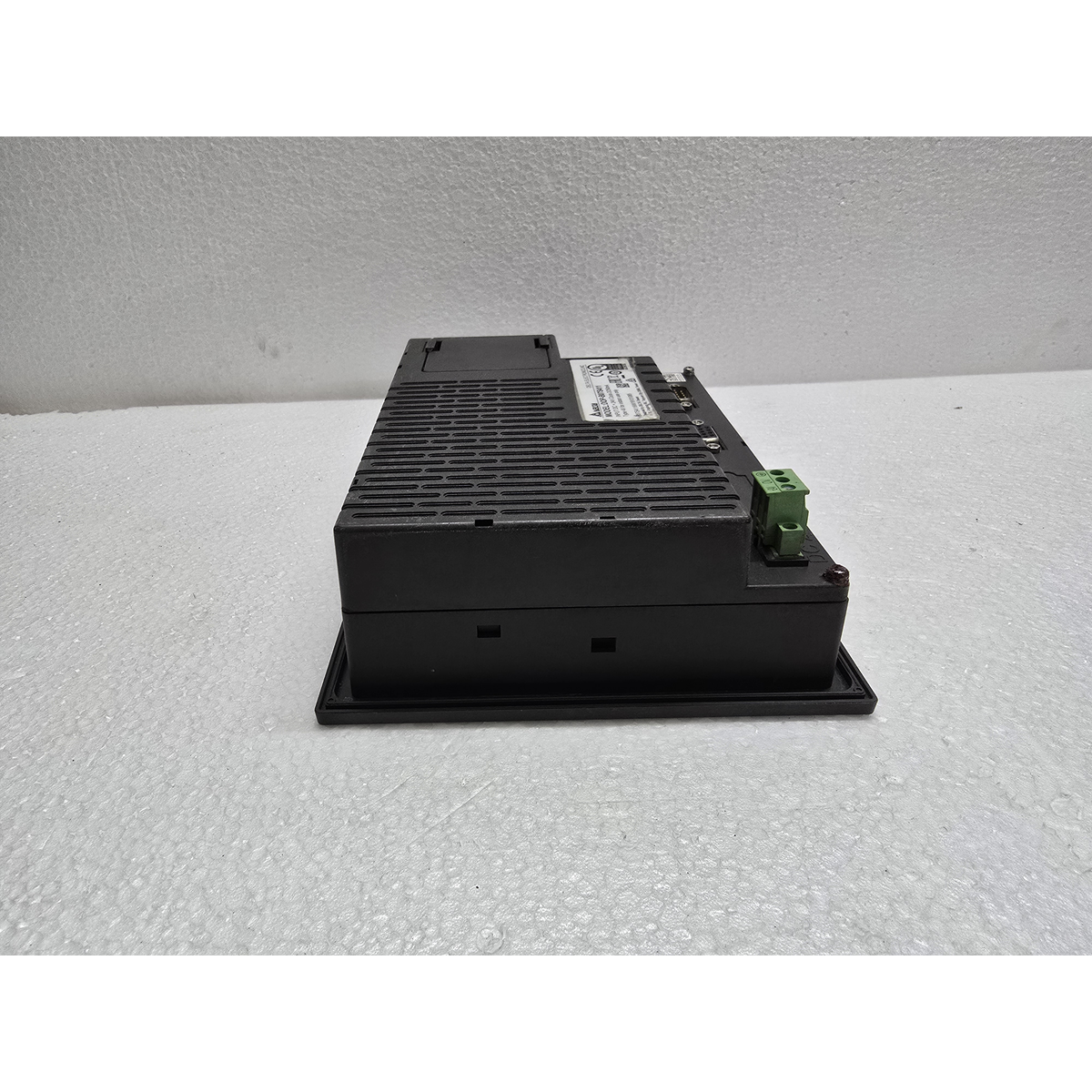
This model is equipped with three physical COM ports, allowing it to act as a hub for multiple devices.8
-
COM 1: RS-232 (Supports flow control).
-
COM 2: RS-232 / RS-485.
-
COM 3: RS-422 / RS-485.
-
USB Client: Dedicated port for high-speed project download/upload from a PC.
-
USB Host: Allows for direct connection to a USB disk for data logging, screen capture, or recipe storage.
3. Hardware and Performance
-
Processor: 32-bit RISC Microprocessor for fast boot-up and screen transitions.
-
Flash Memory: 128 MB (Large enough for complex projects with many images).
-
SD RAM: 64 MB.
-
Audio Output: Built-in buzzer for alarms; some sub-models support high-quality audio output for voice warnings.
4. Technical Specifications
| Feature | Details |
| Model | DOP-B07S411 |
| Input Voltage | 24V DC (Stable DC power required) |
| Power Consumption | Max 5W |
| Protection Rating | IP65 (Front panel is water and dust resistant) |
| Operating Temp | 0°C to 50°C |
| Software | DOPSoft (Free software from Delta) |
5. Key Features
-
Multilingual Support: You can easily create screens that switch between different languages at the press of a button.
-
Rich Library: DOPSoft provides a huge library of industrial symbols (pumps, valves, tanks, etc.) to make the screens look professional.
-
Password Security: Supports up to 8 levels of password protection for different operators and engineers.
-
Macro Scripting: Allows you to write simple “C” based logic inside the HMI to perform calculations or move data without using the PLC’s memory.
Maintenance Tip:
If the touch becomes unresponsive, you can re-calibrate it. Power off the unit, then press and hold your finger anywhere on the screen while powering it back on to enter the system menu and find the Touch Calibration tool.
Would you like me to find the “Communication Cable Diagram” for a specific PLC (like Siemens S7-1200 or Delta DVP), or do you need help setting up the “Data Logger” in DOPSoft?
Share:
 Delta DOP-B07S411
₹19,038.00 Original price was: ₹19,038.00.₹14,755.00Current price is: ₹14,755.00.
The Delta DOP-B07S411 is a high-quality, 7-inch color touch screen HMI from the DOP-B Series.1 This series is widely respected in the industry for being robust, easy to program, and highly compatible with both Delta’s own products (like the DVP series PLC) and third-party controllers.
The “411” version is a standard model that provides essential communication ports for most industrial applications.2
1. Display and Visuals
-
Screen Size: 7-inch Widescreen (16:9).3
-
Display Type: TFT Color LCD.4
-
Resolution: 5$800 \times 480$ pixels (WVGA).6
-
Colors: 65,536 colors, allowing for high-quality photos and detailed process graphics.7
-
Backlight: LED backlight with approximately 20,000 to 30,000 hours of life.
2. Connectivity and Communication Ports
This model is equipped with three physical COM ports, allowing it to act as a hub for multiple devices.8
-
COM 1: RS-232 (Supports flow control).
-
COM 2: RS-232 / RS-485.
-
COM 3: RS-422 / RS-485.
-
USB Client: Dedicated port for high-speed project download/upload from a PC.
-
USB Host: Allows for direct connection to a USB disk for data logging, screen capture, or recipe storage.
3. Hardware and Performance
-
Processor: 32-bit RISC Microprocessor for fast boot-up and screen transitions.
-
Flash Memory: 128 MB (Large enough for complex projects with many images).
-
SD RAM: 64 MB.
-
Audio Output: Built-in buzzer for alarms; some sub-models support high-quality audio output for voice warnings.
4. Technical Specifications
| Feature | Details |
| Model | DOP-B07S411 |
| Input Voltage | 24V DC (Stable DC power required) |
| Power Consumption | Max 5W |
| Protection Rating | IP65 (Front panel is water and dust resistant) |
| Operating Temp | 0°C to 50°C |
| Software | DOPSoft (Free software from Delta) |
5. Key Features
-
Multilingual Support: You can easily create screens that switch between different languages at the press of a button.
-
Rich Library: DOPSoft provides a huge library of industrial symbols (pumps, valves, tanks, etc.) to make the screens look professional.
-
Password Security: Supports up to 8 levels of password protection for different operators and engineers.
-
Macro Scripting: Allows you to write simple “C” based logic inside the HMI to perform calculations or move data without using the PLC’s memory.
Maintenance Tip:
If the touch becomes unresponsive, you can re-calibrate it. Power off the unit, then press and hold your finger anywhere on the screen while powering it back on to enter the system menu and find the Touch Calibration tool.
Would you like me to find the “Communication Cable Diagram” for a specific PLC (like Siemens S7-1200 or Delta DVP), or do you need help setting up the “Data Logger” in DOPSoft?


Reviews
There are no reviews yet.