


Hotline Order:
+91 9727278672 / +91 8238235003
Email ID:
info@shipautomationparts.com
Free Shipping apply to all orders over $299
Safe & securely shopping
20 Day Returns in case u change your mind.
Mitsubishi E300
$758.00 Original price was: $758.00.$400.00Current price is: $400.00.
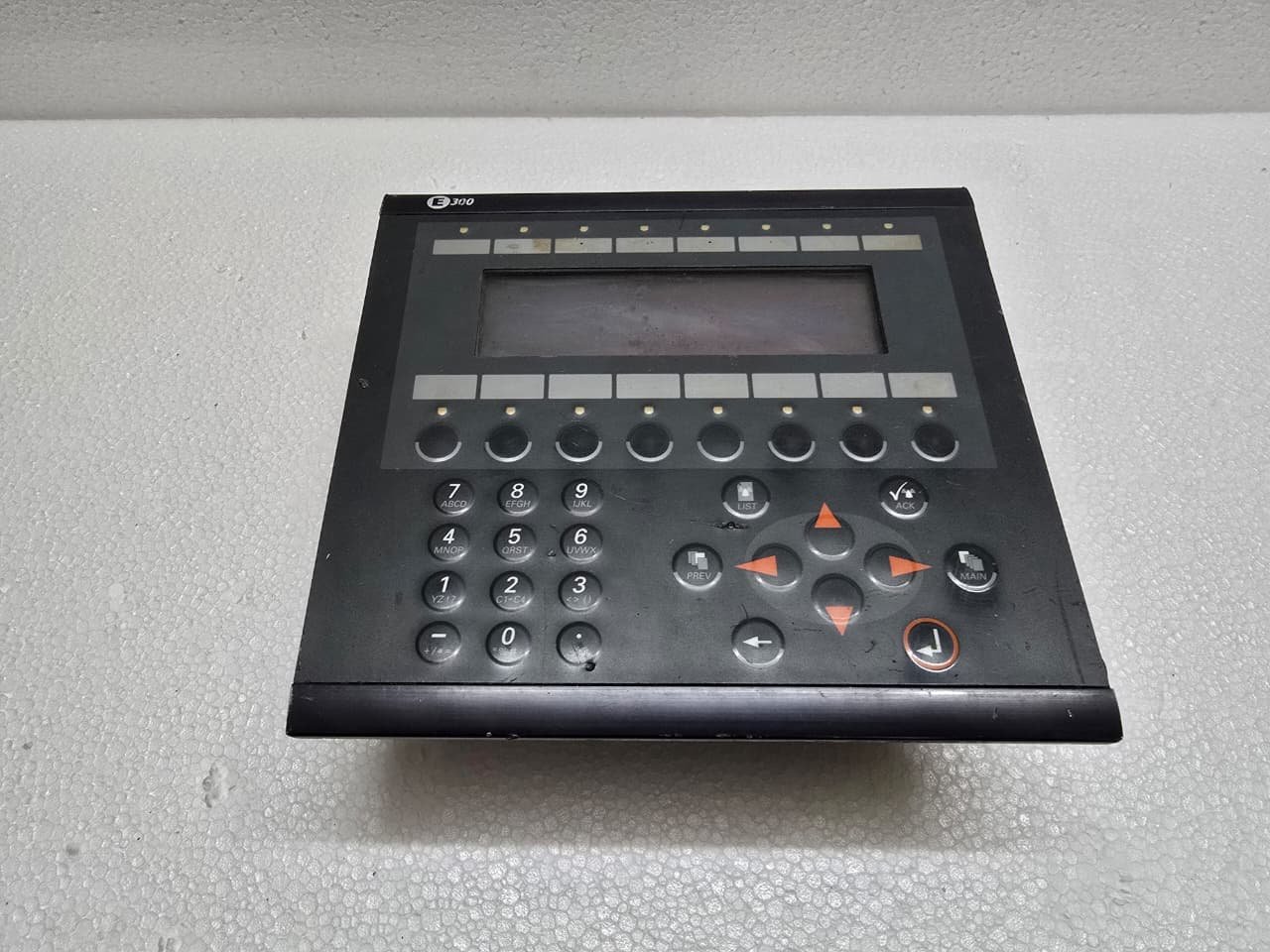
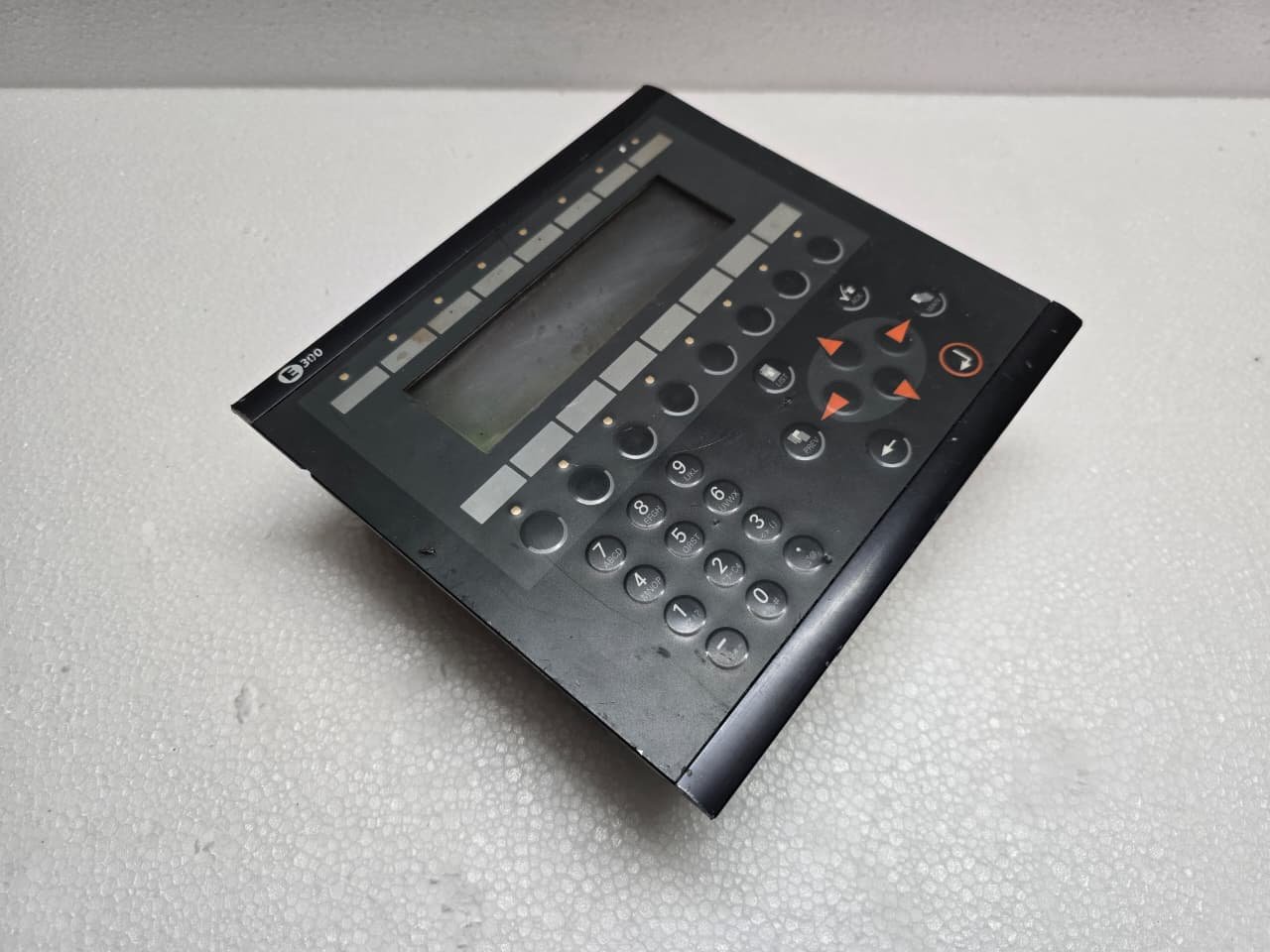
The Mitsubishi E300 is a legacy high-performance HMI (Human Machine Interface) from the MAC E-Series, originally developed in collaboration with Beijer Electronics. While it has been officially discontinued for many years, it remains a staple in older industrial plants due to its rugged build and tactile keypad.
1. Key Technical Specifications
The E300 was designed for mid-range applications where a physical keypad was preferred over a touchscreen for durability.
| Feature | Details |
| Display Type | Backlit Monochrome LCD (Blue/White) |
| Resolution | 240 x 128 pixels |
| Interface | 16 Function Keys (F1-F16) + Numeric Keypad |
| Communication | RS-232, RS-422, and RS-485 |
| Memory | 256 KB Flash for projects |
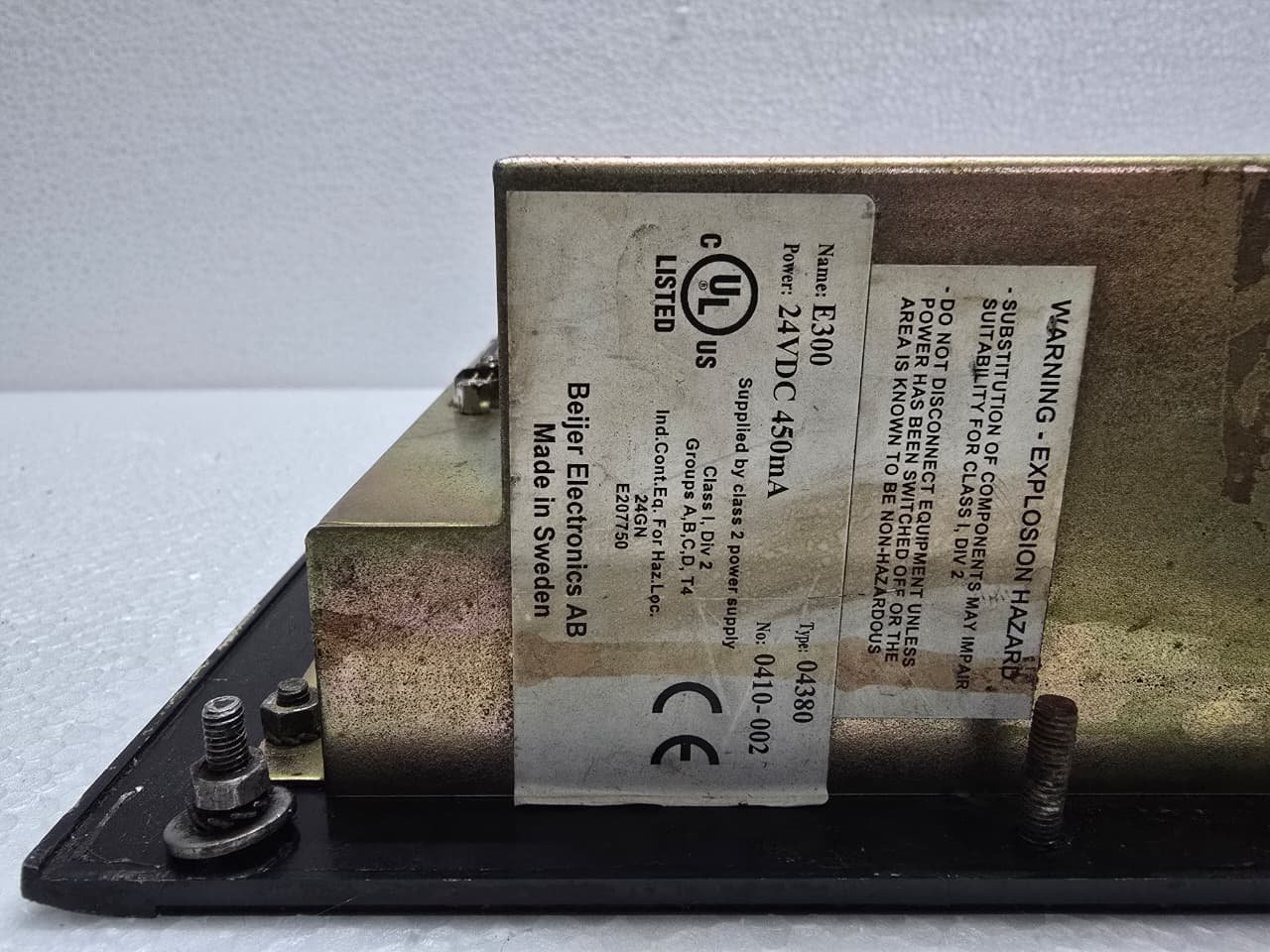
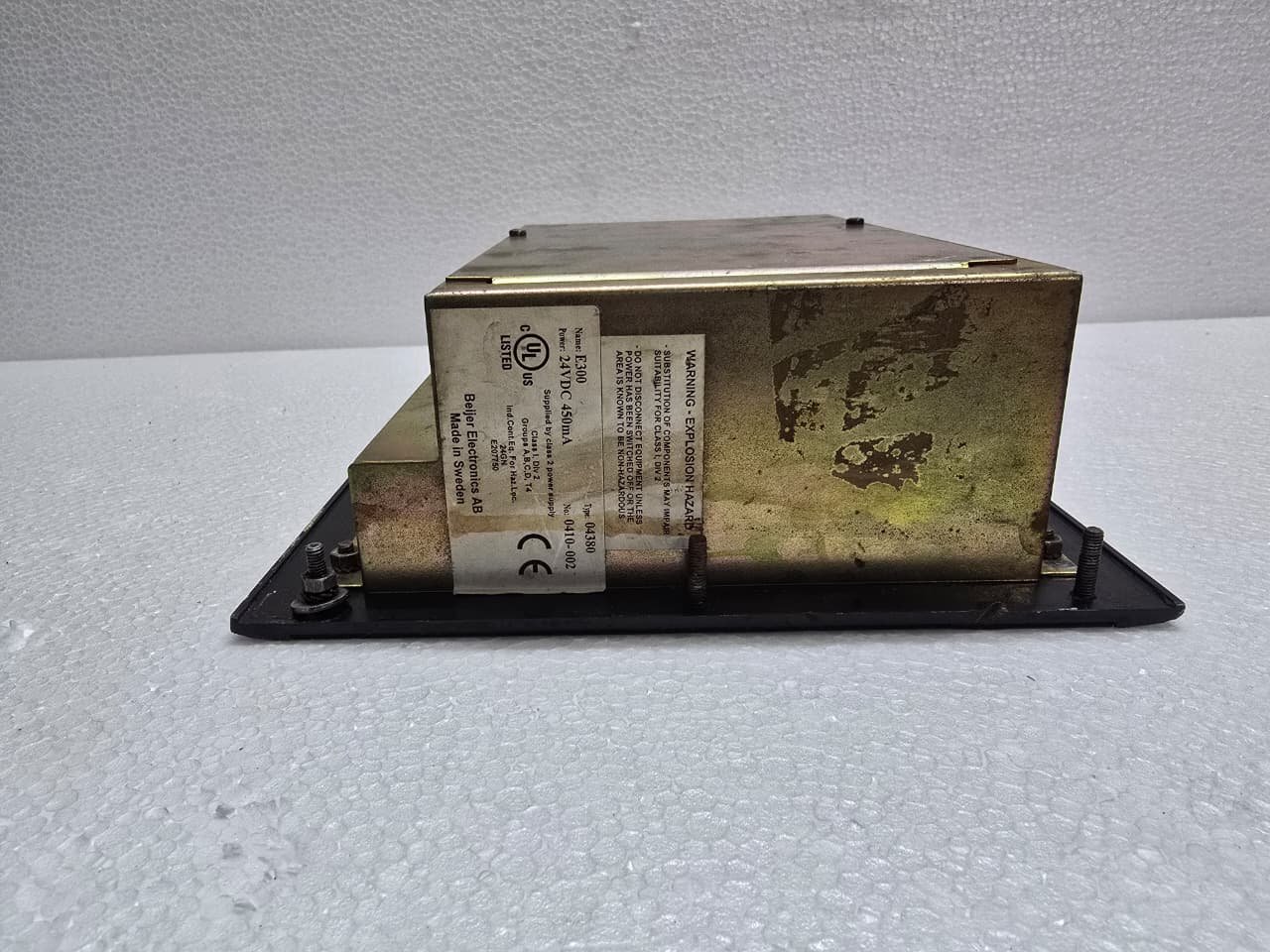
| Power Supply | 24V DC |
2. Communication and Ports
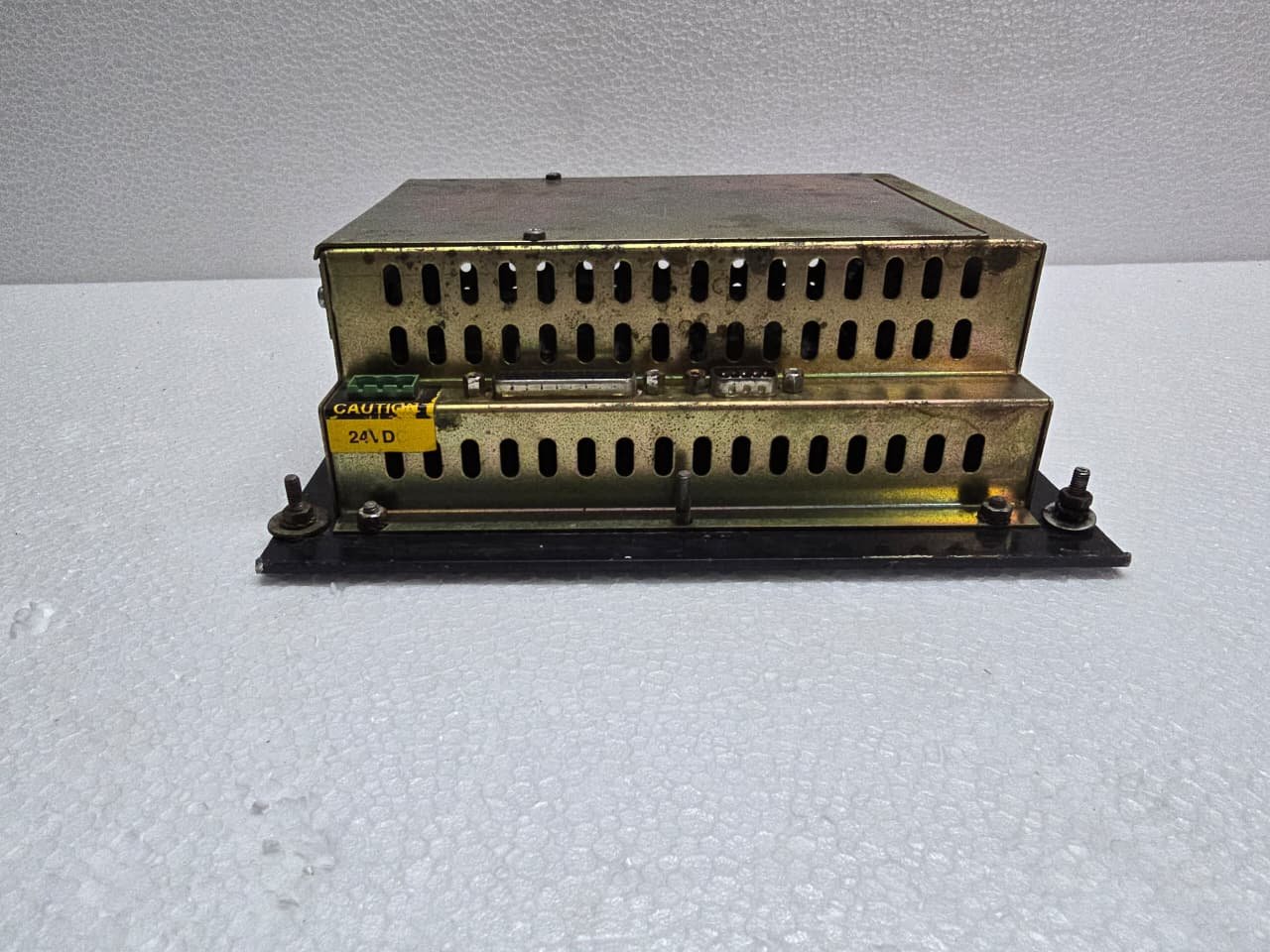
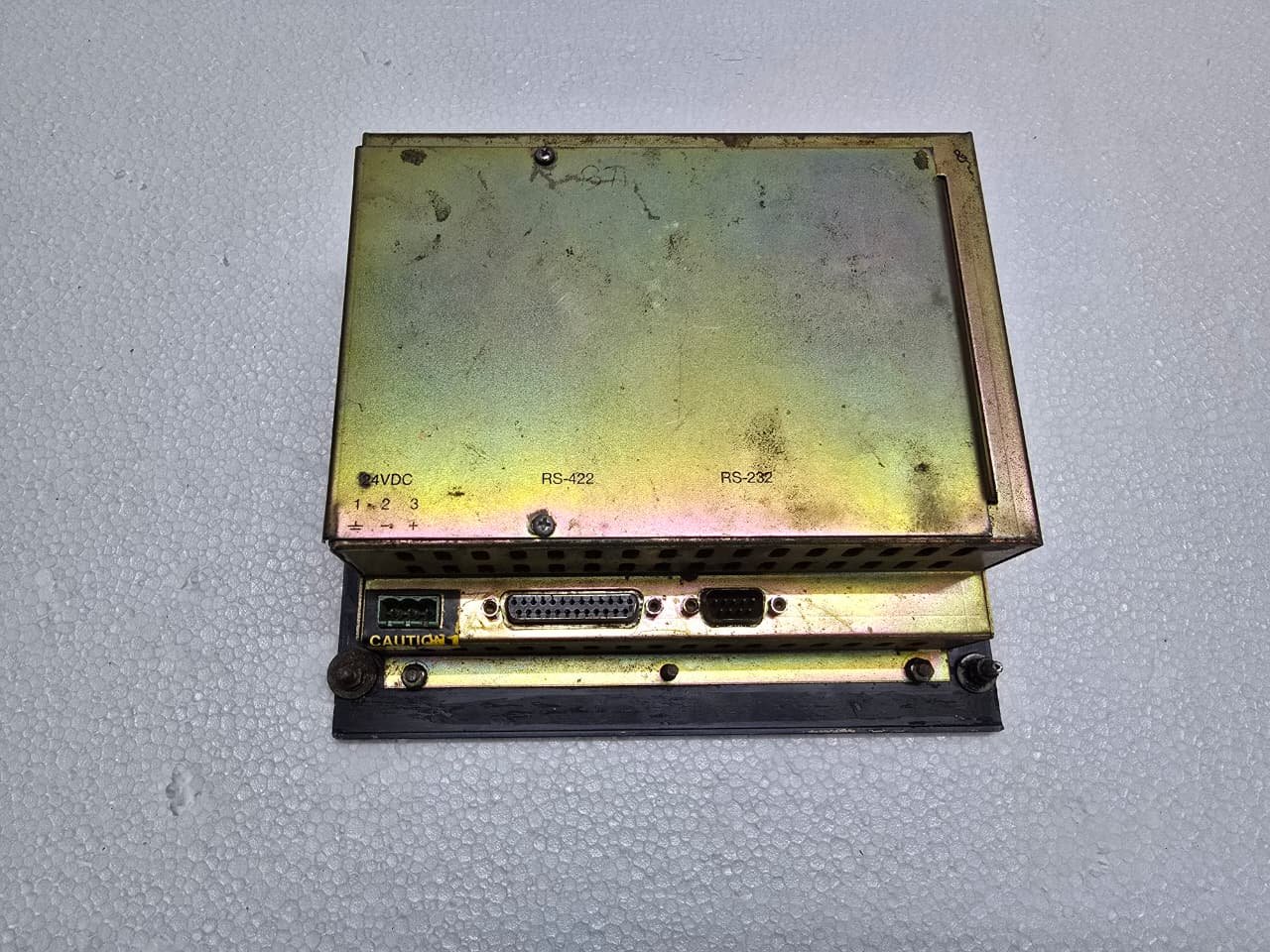
The E300 is highly versatile in how it talks to PLCs. On the back, you will find:
-
RS-232 (9-pin): Used for programming the unit via a PC or connecting to specific RS-232 devices.
-
RS-422/485 (25-pin): The standard port for connecting to Mitsubishi Melsec PLCs (like the FX, A, or Q series).
-
Expansion Slot: Used for optional networking cards (e.g., Profibus or Ethernet modules).
3. Programming Software
To modify or upload/download projects to an E300, you require legacy software:
-
E-Designer: The primary Windows-based tool for the MAC E-series.
-
MAC Programmer+: An even older DOS-based or early Windows tool (rarely used now).
Note: If you are migrating an E300 project to a modern Mitsubishi GOT2000 screen, you will need to open the original project in E-Designer first to export the tag lists and logic.
4. Common Maintenance Issues
-
Backlight Failure: The internal CCFL tube has a finite lifespan. If the screen is blank but the “Power” LED is on, the backlight has likely expired.
-
Keypad Wear: The membrane keypad can crack over time, especially the frequently used “Enter” or “F” keys.
-
Internal Battery: Like most HMIs of this era, it uses a small lithium battery to maintain the real-time clock and retentive data. If the time resets every power cycle, the battery needs replacement.
5. Accessing the Setup Menu
If you need to change the communication settings or the station address without a PC:
-
Apply power to the unit.
-
Press and hold the [Backarrow] and [Enter] keys simultaneously during the boot-up sequence.
-
This enters the System Mode, where you can perform a self-test or adjust contrast.
Share:
 Mitsubishi E300
$758.00 Original price was: $758.00.$400.00Current price is: $400.00.
The Mitsubishi E300 is a legacy high-performance HMI (Human Machine Interface) from the MAC E-Series, originally developed in collaboration with Beijer Electronics. While it has been officially discontinued for many years, it remains a staple in older industrial plants due to its rugged build and tactile keypad.
1. Key Technical Specifications
The E300 was designed for mid-range applications where a physical keypad was preferred over a touchscreen for durability.
| Feature | Details |
| Display Type | Backlit Monochrome LCD (Blue/White) |
| Resolution | 240 x 128 pixels |
| Interface | 16 Function Keys (F1-F16) + Numeric Keypad |
| Communication | RS-232, RS-422, and RS-485 |
| Memory | 256 KB Flash for projects |
| Power Supply | 24V DC |
2. Communication and Ports
The E300 is highly versatile in how it talks to PLCs. On the back, you will find:
-
RS-232 (9-pin): Used for programming the unit via a PC or connecting to specific RS-232 devices.
-
RS-422/485 (25-pin): The standard port for connecting to Mitsubishi Melsec PLCs (like the FX, A, or Q series).
-
Expansion Slot: Used for optional networking cards (e.g., Profibus or Ethernet modules).
3. Programming Software
To modify or upload/download projects to an E300, you require legacy software:
-
E-Designer: The primary Windows-based tool for the MAC E-series.
-
MAC Programmer+: An even older DOS-based or early Windows tool (rarely used now).
Note: If you are migrating an E300 project to a modern Mitsubishi GOT2000 screen, you will need to open the original project in E-Designer first to export the tag lists and logic.
4. Common Maintenance Issues
-
Backlight Failure: The internal CCFL tube has a finite lifespan. If the screen is blank but the “Power” LED is on, the backlight has likely expired.
-
Keypad Wear: The membrane keypad can crack over time, especially the frequently used “Enter” or “F” keys.
-
Internal Battery: Like most HMIs of this era, it uses a small lithium battery to maintain the real-time clock and retentive data. If the time resets every power cycle, the battery needs replacement.
5. Accessing the Setup Menu
If you need to change the communication settings or the station address without a PC:
-
Apply power to the unit.
-
Press and hold the [Backarrow] and [Enter] keys simultaneously during the boot-up sequence.
-
This enters the System Mode, where you can perform a self-test or adjust contrast.


Reviews
There are no reviews yet.